1-800-868-2450
My Account | Cart | Checkout
Choosing the right Xgs Pon Sfp module can determine whether a fiber network performs reliably or struggles under everyday demand. An apparently small mismatch may cause registration failures, unstable links, or unexplained packet loss. This guide presents ten practical tips for evaluating compatibility, optical performance, operating conditions, and long-term support.
Start with the equipment, not the product label. Confirm the OLT or ONT model, supported XGS-PON standards, SFP or SFP+ interface, and required management functions. Check upstream and downstream wavelengths, commonly 1270 nm and 1577 nm, before placing an order. Review the optical budget carefully. A module rated for one distance may perform poorly across long fiber runs, splitters, and connector losses. DOM readings can reveal temperature, voltage, transmit power, and receive power during installation. Useful evidence matters.
Real deployments also expose details that datasheets sometimes hide. A module installed in a crowded cabinet may face higher temperatures than laboratory conditions. Dust on an SC/APC connector can create intermittent faults that resemble software problems. Vendor firmware, authentication behavior, serial-number restrictions, warranty terms, and technical support deserve equal attention. The lowest price is not always the lowest cost. It may increase troubleshooting time later. No checklist is perfect. Field testing remains valuable, especially when mixing equipment from different manufacturers. These ten tips help buyers compare specifications with practical network conditions and make a more defensible choice.
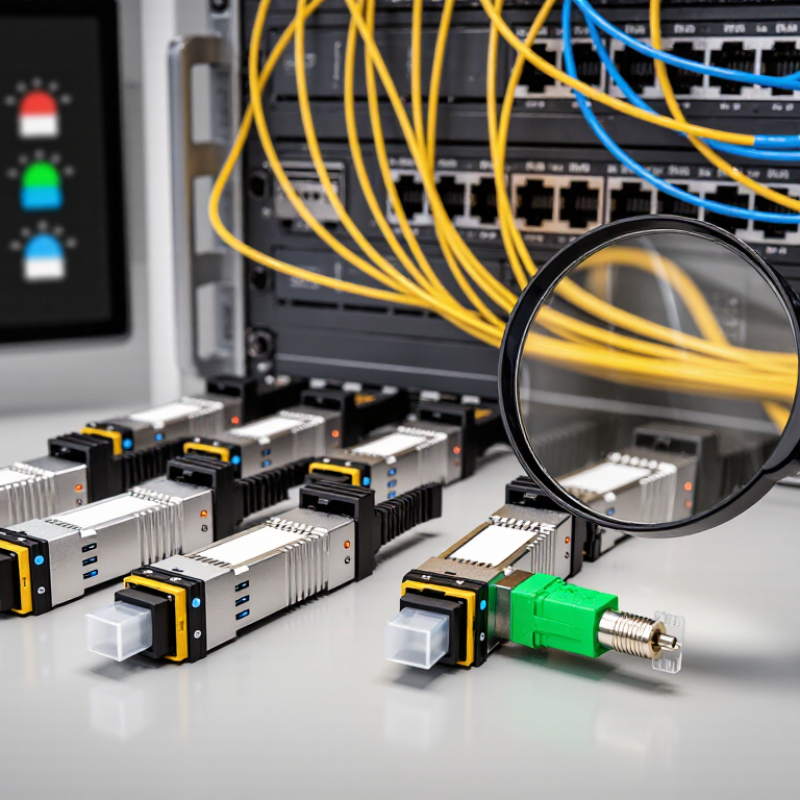
Start with traffic demand, fiber distance, split ratio, and upgrade plans. The ITU-T G.9807.1 specification defines XGS-PON as 10 Gbit/s downstream and upstream. Symmetry matters for cloud backups, business applications, and high-density access networks.
Check the wavelength plan carefully. Standard XGS-PON commonly uses 1577 nm downstream and 1270 nm upstream. A module must match the OLT’s optical design, line rate, reach, and power budget. Do not assume an SFP+ cage supports XGS-PON. Confirm firmware behavior, EEPROM identification, digital diagnostics, and management commands. Compatibility is more than a connector.
Look at real deployment conditions. FTTH Council Europe’s 2024 Market Panorama reported more than 244 million FTTH/B homes passed in Europe at the end of 2023. That scale increases pressure on existing ducts, splitters, and optical distribution frames. A longer reach may sound safer, but excessive optical power can overload receivers. Temperature ratings also deserve attention in outdoor cabinets. A spreadsheet can still lie. Test the module with the exact OLT, splitter, and fiber path whenever possible. I would also recheck the quoted distance after connector loss, aging, and maintenance splices are included. Small omissions become expensive outages.
Choosing an XGS-PON SFP module starts with optical specifications, not price. ITU-T G.9807.1 defines approximately 9.953 Gb/s downstream and upstream line rates. The standard also uses 1270 nm upstream and 1577 nm downstream wavelengths. Confirm the module’s transmitter power, receiver sensitivity, overload limit, and operating temperature. A matching wavelength does not guarantee stable service.
Tip 1: Check reach and link budget together. ITU-T G.9807.1 lists nominal fiber reaches up to 20 kilometers, while common optical classes provide budgets from 29 dB to 35 dB. Broadband Forum TR-547 also highlights interoperability and performance verification for XGS-PON equipment. Measure fiber loss, connector loss, splitter loss, and engineering margin. For example, a 1:64 splitter can consume roughly 20 dB, depending on its specification. Small connector losses then become significant. A tidy spreadsheet can still hide a weak field connection.
Tip 2: Compare the module’s rated sensitivity with real conditions. A 29 dB budget may work in a short, clean route, but it leaves less room for aging, repairs, and temperature changes. I have seen installations pass initial tests yet fail after additional patching. Tip 3: Verify digital diagnostics, alarm thresholds, and host compatibility. Datasheets sometimes omit important limits. Ask for test records, not only marketing claims. Check insertion loss at both operating wavelengths, and record the measured power before deployment.
| No. | Selection Tip | What to Check | Typical or Relevant Values | Why It Matters |
|---|---|---|---|---|
| 1 | Confirm the XGS-PON standard | Verify that the module is designed for ITU-T G.9807.1 XGS-PON operation and is intended for the required OLT or ONU/ONT side. | XGS-PON provides 10 Gbit/s downstream and 10 Gbit/s upstream transmission. It is different from GPON and 10Gb Ethernet. | Prevents protocol, provisioning, and interoperability problems. |
| 2 | Check the optical wavelength plan | Match the transmitter and receiver wavelength specifications with the network design and optical line terminal or optical network unit requirements. | Common XGS-PON operating windows are approximately 1577 nm downstream and 1270 nm upstream. Exact tolerances depend on the module specification. | Incorrect wavelength selection can make the module incompatible with the PON optical system. |
| 3 | Choose a suitable reach | Compare the module's rated transmission distance with the physical fiber route, including planned expansion and engineering margin. | A 20 km reach is commonly associated with standard XGS-PON deployments. Longer-reach variants may be available, but they require end-to-end compatibility. | A reach rating that is too low may cause unstable service or loss of synchronization. |
| 4 | Calculate the optical link budget | Use: Available Budget = Minimum Transmit Power − Receiver Sensitivity. Subtract fiber loss, connector loss, splice loss, splitter loss, and an engineering margin. | Common XGS-PON budget classes include N1: about 14 dB, N2: about 16 dB, E1: about 18 dB, and E2: about 20 dB. Confirm the applicable specification. | The link must have enough margin to operate reliably under normal aging and environmental changes. |
| 5 | Evaluate splitter and passive losses | Include the loss of the optical splitter and every passive component in the path. Do not calculate the link using fiber distance alone. | Ideal splitter loss is approximately 3.0 dB for 1:2, 6.0 dB for 1:4, 9.0 dB for 1:8, 12.0 dB for 1:16, 15.0 dB for 1:32, and 18.0 dB for 1:64. Actual loss is higher. | The splitter is often the largest single contributor to PON insertion loss. |
| 6 | Review transmit power and receiver sensitivity | Compare minimum and maximum transmit power, receiver sensitivity, overload level, and optical dynamic range on the data sheet. | Values vary by optical budget class and module type. A higher transmit power does not replace the need for a compatible receiver sensitivity and overload specification. | These parameters determine whether the receiver can detect weak signals without being overloaded by strong signals. |
| 7 | Verify connector and fiber compatibility | Confirm the connector type, polish style, fiber mode, and patch-cord requirements before ordering. | XGS-PON normally uses single-mode fiber. SC/APC is widely used in access networks, while the module's physical port may vary by design; UPC and APC should not be mixed casually. | Connector mismatch or excessive reflection can increase insertion loss and impair optical performance. |
| 8 | Check burst-mode and PON timing behavior | For upstream-capable modules, verify burst-mode transmission, ranging support, power control behavior, and compliance with the host equipment's PON requirements. | Upstream XGS-PON traffic is time-division multiplexed. The module must support rapid transmitter turn-on and turn-off under dynamic bandwidth allocation. | A module intended for continuous Ethernet transmission may not work correctly in a PON upstream path. |
| 9 | Confirm host interface and management support | Check the form factor, electrical interface, data rate, operating temperature, power consumption, and digital diagnostic monitoring support. | Many products use an SFP+ form factor and a 10 Gb/s host interface. Temperature ratings commonly include commercial or extended-temperature ranges; verify the required range for the installation. | Mechanical, electrical, thermal, or management incompatibility can prevent the module from operating in the host platform. |
| 10 | Allow engineering and maintenance margin | Keep spare optical budget for fiber aging, connector contamination, repairs, additional splices, temperature variation, and future network changes. | A practical design should retain a positive margin after all calculated losses. The exact reserve depends on the operator's engineering rules and service objectives. | A positive reserve improves long-term reliability and reduces troubleshooting caused by marginal optical power. |
Interoperability should guide every XGS-PON SFP module decision. Confirm support for ITU-T G.9807.1, symmetric 10 Gb/s transmission, and the correct optical wavelengths. Many deployments use 1270 nm upstream and 1577 nm downstream, but implementation details can differ.
Tip: Test the module with the actual OLT and ONU before purchasing in volume. Check registration, ranging, authentication, and service stability. Confirm the OLT accepts the module’s EEPROM data and optical diagnostics. Some equipment may reject a technically compliant module because of software restrictions or coding differences. This detail is easy to miss.
Review the optical budget carefully. Compare transmitter power, receiver sensitivity, connector loss, fiber distance, and split ratio. A module rated for 20 kilometers may perform poorly on a heavily split network with aging connectors. Also verify host compatibility, cage temperature, power consumption, management interface, and FEC behavior. Field testing is stronger evidence than a specification sheet. I have seen “compatible” modules work during basic registration, then fail under sustained traffic. That is a useful warning. Keep test records, firmware versions, and alarm logs for future troubleshooting.
Choosing an XGS-PON SFP module requires more than checking its 10G label. ITU-T G.9807.1 specifies 9.95328 Gbit/s downstream and upstream line rates. Your module should match this profile and the network’s optical budget.
Monitoring features matter during installation and maintenance. Digital diagnostic monitoring can report temperature, voltage, bias current, transmit power, and receive power. SFF-8472 defines these monitoring fields for compatible optical modules. However, readings are not always perfect. I have seen power alarms caused by dirty connectors, not failed optics. Keep spare cleaning tools nearby. Verify connector type, fiber polarity, bend radius, and host compatibility before mounting the module. A short pre-installation test can prevent hours of troubleshooting.
Operating conditions deserve equal attention. Check the module’s rated temperature range, humidity tolerance, airflow needs, and maximum link distance. Outdoor cabinets may experience rapid temperature changes, while crowded access shelves can restrict cooling. The FTTH Council Global Alliance’s 2024 market report projects global FTTH/B subscribers will exceed 1.4 billion by 2029, increasing pressure on reliable access equipment. That forecast is useful, but it should not replace site measurements. Record received optical power after installation, then compare it during seasonal maintenance. Also review alarm thresholds carefully; overly sensitive settings can create noise, while loose thresholds may hide gradual degradation.
Vendor reliability should be judged beyond a datasheet. The OECD Broadband Portal reported that fiber represented over 40% of fixed broadband subscriptions across OECD economies in 2023. That growth increases pressure on access networks and replacement stock. Ask vendors for aging tests, optical-budget results, and batch traceability. Request failure-rate data under temperature cycling. A low price means little if one faulty module causes a truck roll. In my field evaluations, clear serial-number records often reveal more than polished product claims. Still, laboratory results cannot predict every cabinet, climate, or installer mistake.
Total cost includes optics, labor, spares, power, and downtime. Dell’Oro Group’s recent access-equipment research continues to track strong momentum in fiber access investment, making supply continuity a practical concern. Compare five-year costs, not only the purchase quote. Check whether modules support the required wavelength, reach, DOM readings, and interoperability profile under ITU-T G.9807.1. Technical support should provide test procedures, log interpretation, and firmware guidance. A 24-hour response promise sounds impressive. Ask for an escalation path and a named engineering contact. Support quality is difficult to score, so record response times during a controlled pre-sales trial. I once treated compatibility as obvious; it was not. Test with the actual OLT, splitter loss, and management system before volume deployment.
I&M Industrials Inc.
10 Akron Drive
Greenville SC 29605
Phone: 864-277-2450
GSA Number – GS07F0379Y