How to Choose the Right Industrial PC for Your Business Needs?
Choosing the right Industrial PC for your business can be a complex task. An Industrial PC is more than just hardware; it’s the backbone of your operations. The wrong choice can lead to inefficiency and increased costs. It’s important to analyze your specific needs.
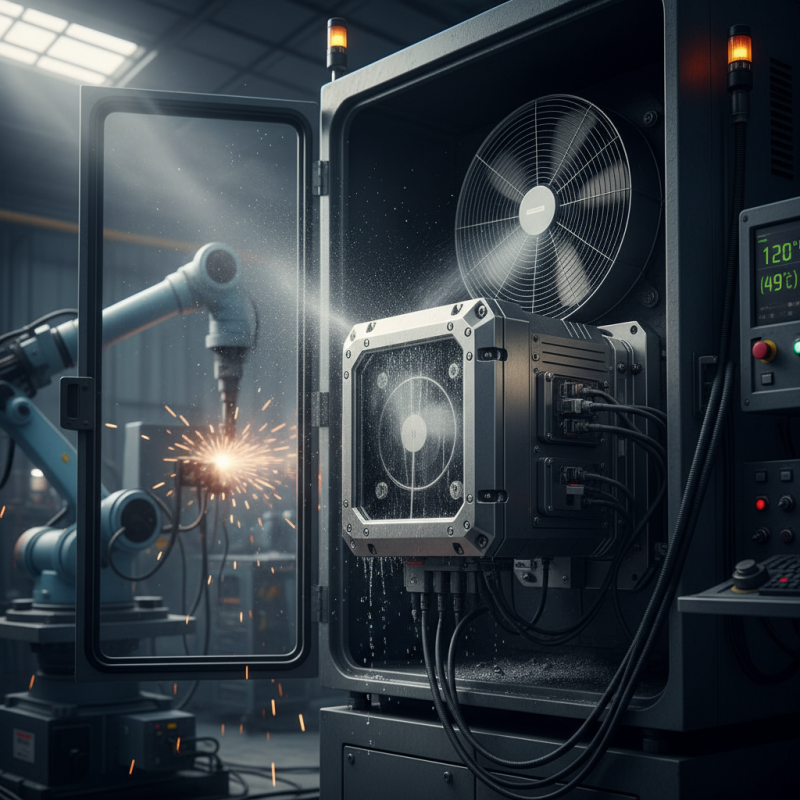
Consider the environment in which the Industrial PC will operate. Will it face extreme temperatures, dust, or moisture? Each factor can affect performance and longevity. Different industries may require different specifications. Customization is often necessary, but not everyone knows where to start.
Reliability is crucial. An Industrial PC needs to withstand harsh conditions without failure. Evaluating brands and their reputations can guide your decision. User reviews and case studies can also provide insights. Take the time to assess options carefully to ensure a wise investment.
Understanding Your Business Requirements for an Industrial PC
Choosing the right industrial PC starts with a clear understanding of your business needs. Identify specific requirements. Consider the type of applications you'll run. For instance, real-time data processing might require robust CPUs, while HMI tasks may need high-resolution graphics. According to a recent industry report, nearly 50% of businesses underestimate the computational power required for advanced automation tasks.
Evaluate your operating environment. Industrial PCs often need to withstand harsh conditions. Factors like temperature, dust, and vibration play crucial roles in device selection. A study pointed out that 40% of system failures in factories occur due to environmental issues, highlighting the importance of rugged designs. Selecting a PC without understanding these parameters may lead to costly replacements.
Scalability is another critical factor. Your business may grow, and technology trends shift. An inflexible system could limit future operations. Data suggests that companies adopting modular systems experience 30% less downtime when upgrading. Understanding these dynamics helps ensure that the industrial PC you choose will not just serve current needs but also adapt to future challenges. Balancing between today’s requirements and tomorrow’s possibilities can be difficult, but it is essential for long-term success.
Key Specifications to Consider in Industrial PCs
When selecting an industrial PC, focusing on key specifications is essential. Processing power plays a significant role. Choose a processor that meets your workload demands. Dual-core processors are suitable for basic tasks, while multi-core options handle complex applications efficiently.
Memory capacity also matters. A minimum of 4GB RAM is standard, but 8GB or more is ideal for demanding tasks. This ensures smoother operation and multitasking capabilities. Solid-state drives (SSDs) are preferable over traditional hard drives. They provide faster data access and better reliability in industrial environments.
Consider the operating temperature range. Industrial PCs should withstand harsh conditions. Look for models that operate effectively in extreme temperatures. Dust and moisture resistance can also enhance reliability.
Tip: Evaluate the environment where the PC will function. Take note of vibration, extreme temperatures, and potential exposure to dust.
Ultimately, balancing performance and environmental durability is crucial. Reflect on your specific needs, and don't hesitate to seek expert advice. This decision can significantly impact your operational efficiency and productivity.
Tip: Before finalizing your choice, compare specifications from multiple sources. This ensures you make an informed decision that supports your business goals.
Key Specifications to Consider in Industrial PCs
Evaluating Performance and Reliability for Industrial Applications
When selecting an industrial PC, performance and reliability are crucial. An industrial PC must handle demanding tasks without faltering. Look for processors that provide sufficient speed while maintaining energy efficiency. A good benchmark is evaluating operations under extreme conditions, such as heat or dust. Many businesses underestimate the impact of these elements on performance.
Reliability should go hand in hand with performance. Industrial PCs often face challenges that standard PCs cannot endure. Components must be durable. Check for features like extended temperature ranges and shock resistance. Evaluate the longevity of power supplies and storage solutions, as failures can lead to costly downtimes. Choosing the right cooling solutions is also essential for prolonged operation.
User experience can inform decisions. Consult feedback from existing users about their challenges. Learn what works well and what doesn’t. Reliability also involves support and maintenance options. A manufacturer who provides excellent customer service will save time and money in the long run. Reflecting on these factors leads to smarter choices for your specific needs.
How to Choose the Right Industrial PC for Your Business Needs?
| Specification | Option A | Option B | Option C |
| Processor | Intel Core i5 | AMD Ryzen 5 | Intel Xeon E3 |
| RAM | 8 GB | 16 GB | 32 GB |
| Storage Type | SSD | HDD | Hybrid (SSD + HDD) |
| Storage Capacity | 256 GB | 1 TB | 512 GB SSD + 2 TB HDD |
| Operating System | Windows 10 Pro | Linux Ubuntu | Windows Server 2019 |
| Industrial Rating | IP65 | IP54 | IP67 |
| Dimensions (W x D x H) | 300 x 200 x 100 mm | 400 x 250 x 150 mm | 350 x 220 x 120 mm |
Cost Considerations and Budgeting for Industrial PC Purchases
When considering an industrial PC purchase, budget constraints are a key factor. Companies often overlook the total cost of ownership (TCO). According to a recent report from the International Data Corporation (IDC), nearly 36% of businesses underestimate ongoing maintenance expenses. This lack of foresight can lead to unexpected financial strain.
It's important to highlight that initial costs are only part of the equation. An industrial PC's lifespan significantly impacts long-term budget planning. Research indicates that investing in a reliable system can reduce replacement frequency by up to 25%. This decision directly influences operational continuity and minimizes potential downtime.
Additionally, energy efficiency is a crucial cost consideration. The U.S. Department of Energy states that energy-efficient PCs can lower operating costs by nearly 20%. Though the upfront price may be slightly higher, these savings can quickly offset the initial investment. Businesses should focus on selecting systems tailored to their specific operational needs to ensure they are making a sound financial decision.
Future-Proofing: Scalability and Upgrade Options for Industrial PCs
When selecting an industrial PC, consider future-proofing. Scalability is crucial for adapting to changing business needs. A system that allows easy upgrades ensures longevity. Look for modular components that can be replaced or enhanced. This flexibility can save costs over time.
It’s important to assess your business’s projected growth. If you anticipate increased data processing needs, choose a PC with upgradeable RAM and storage. Evaluate the potential for adding new functionalities as technology evolves. Many organizations overlook this. They invest in systems that soon become obsolete.
Reflect on the compatibility of your industrial PC with future technologies. Keep an eye on emerging standards. Change is constant in the tech landscape. Planning for upgrades can mitigate risks. Don’t settle for a solution that only meets today’s requirements. Aim for a system that will grow with you.